An interesting and informative session from James in the digital print room. It made me realise how much depth there is to how colour printing and colour theory works. James also informed us that by the 3rd year we should be able to use the printers in digital print autonomously.
Showing posts with label Colour Systems. Show all posts
Thursday, 4 November 2010
Wednesday, 3 November 2010
Vino Voyage
An image I saw and scanned in from the book 1000 Restaurant, Bar, and Cafe Graphics: Signage to Logos and Everything In-between. This menu includes various different categories of drinks for the Bar Vino Voyage, each section is colour coded. This is something that I could look at when designing my catalogue for the multiple sections that I am going to include. Each different section includes a single colour with the text cut out from that colour and on the other page a simple image and the Bars logo. The stock looks to be a quite weighty with either a gloss or satin finish, with the booklet being bound with
Wednesday, 20 October 2010
InDesign Print Preparation
The task was to find 8 mistakes within an Indesign document that is ready for print.

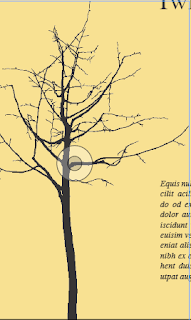
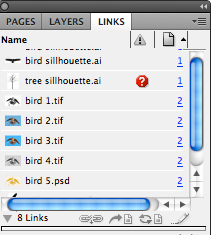
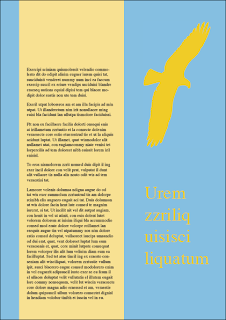
On the first page of booklet there isn't a bleed so if it were to go to print the ink wouldn't print all the way up to the edge of the pages. Also on this page the link is missing and can be checked within the links menu, if the booklet was to go to print only the outline preview would be printed.


The blue on this page is an RGB colour.

On the back cover the type is over the ink limit due to it being registered.


There are two extra spot colours in the colours palette that are not used, which can result in unnecessary plats being made by the printer, that cam increase the cost of printing. These need to be deleted before sending to the printers.Thursday, 14 October 2010
Indesign Colour
Set up is key for productive work, it is good to spend a bit of time to do this.

This option allows you to switch between filling in the stroke of the box or actually filling the box itself with a colour, the same can be applied to type. This is how you can create tints of a colour by adding moving the arrow to the left to decrease the percentage then adding this to the swatch pallet.

Just an example of a 75 and 50% tint of a colour and below that the same again but with a spot colour at 100% and with a 75% tint.


An example of how overprint works:

With multiple colours often being used in overprinting it is good to know if there is going to be to much ink on the page, with the use of the ink level option this will give you a warning when there is to much ink on the paper.

Print set up page, trim marks and colour bars are useful and you can enable/disable what ink you want to use in the printer. Its also a good idea to check that any unused swatches are deleted otherwise it can result in unnecessary expenditure due to the fact the printers have to make a plate for each colour you use.

Design Miami


Just thought I would include this from Design Miami as there are examples of print over different medias.
Tuesday, 12 October 2010
Steen-Hansen


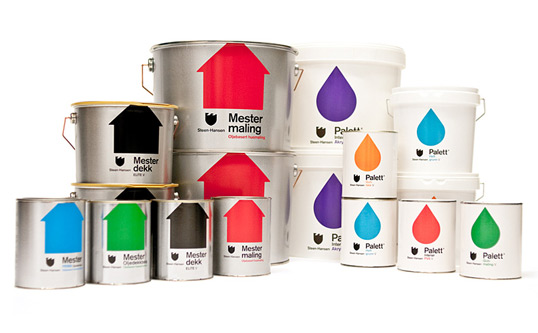
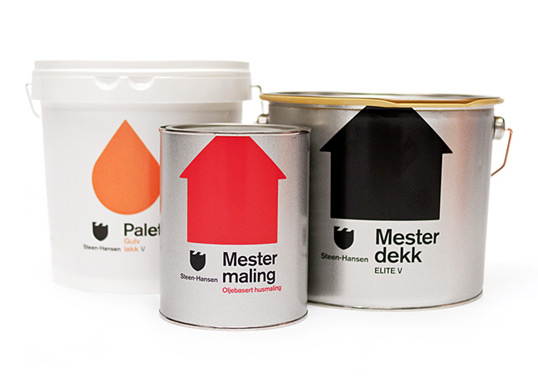
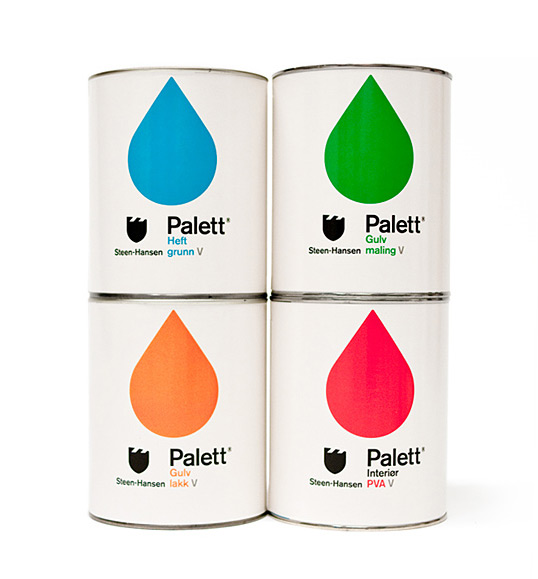
Thanks to Kleivan Schnitler for designing some good looking paint pots, it makes a change from the usual drab tins of paint you usually get, simple to the point design emphasising the colour and brand. Each tin looks to be printed using flexography with 2 spot colours. It was designed for Steen-Hansen one of the oldest paint factories in Norway.
Helvetica Blu-ray


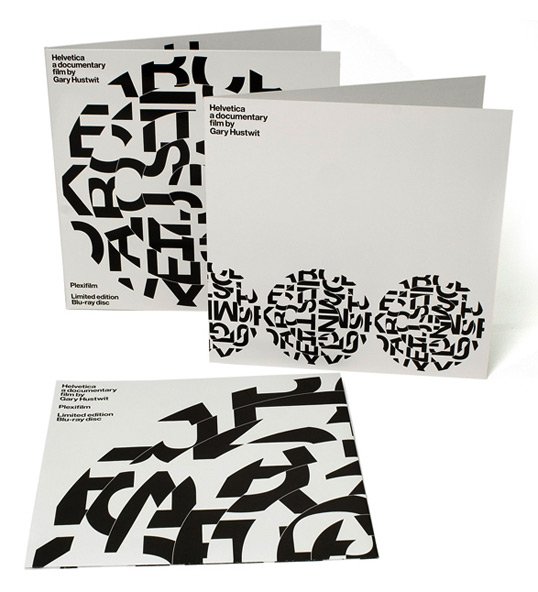
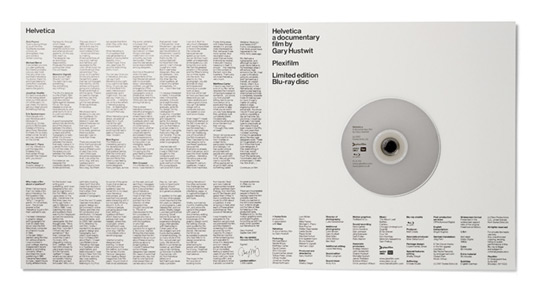
Designed by Experimental Jetset for the limited edition of Helvetica in blue-ray. This was a limited edition print of only 1500 copies, it came in a custom-made black cloth record bag, printed on one side with the disc motive. The sleeve includes a spiralling disc image with is made up from the Helvetica alphabet as shown on the 'Meet the Cast' poster, the idea behind it was to refer to 12" vinyl record and how it spins and the idea that Helvetica as a typeface is spiralling out of control.
New Work: Kanuhura Resort
Kanuhura Brochure and promotional booklet.

A bespoke alphabet was created from palm leaves.

Driftwood signage.

Trek Cycle Catalogue


Just thought I would include a catalogue or two of different bicycle manufactures. Due to the large amount of colour in the photographs in the background on the pages the catalogue is CMYK print, printed onto either a gloss or satin stock.
Victorian College of the Arts


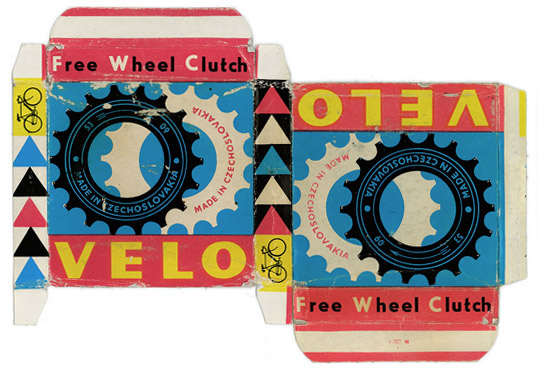
Vintage Packaging: Velo

This is a great little piece of packaging. Looks to me like a CMYK print onto the outside of the card. Bearing in mind the contents of the packaging the weighting has to able to contain the product. If this packaging was produced in the present day it would be done so by using either lithoor screen printing. I'm steering towards screen slightly as the colours are bold which can be achieved through screen.
Monday, 11 October 2010
Thursday, 7 October 2010
State the Obvious


Mash creative produced a collection of products, a range of merchandise and clothing which uses the products description to create a unique brand identity. Im unsure whether I like it or not, Im still undecided as of yet. The products in the range include: a bag, mug, t-shirt, notebook and a poster.
The bag has been printed on only one side with the handle double- stitched onto it. The bag only consists of a white screen print (Is what it says on there website, but Viable either flexo or pad printing) onto the 100% cotton bag. The mug has been printed onto a glazed black ceramic mug using screen print, it includes a printed protective box that has to be weighty enough to contain and protect the contents. Similar to the bag the t-shirt has been printed onto an 100% cotton tee with white only. The notebook has either a silver or clear foil debossed cover with cartridge paper inside. It is Hardback sewn and case bound, A5 size.
The the black and white lines on the boxes are pretty sweet.
Wednesday, 6 October 2010
Colour in Illustrator


Creating swatches in Illustrator is similar to both InDesign and Photoshop. It is done in the colour menu by selecting create new swatch, from this tints can also be produced for any of the swatches that are created. As well as CMYk colours, spot colours can also be created using the same method but selecting spot colour rather than process colour, again tints can be made from these colours too. Special finishes such as spot varnishes, foils and embosses would use a spot colour on file but you would specify with the printer what process you were using.

It is also useful to save the swatches that you create during a session so that you can apply them to other adobe programs or for later use. Another useful feature is the pantone book, this is helpful as it allows you to match up your created swatches to the universal pantone codes use by commercial printers.
Subscribe to:
Posts (Atom)